

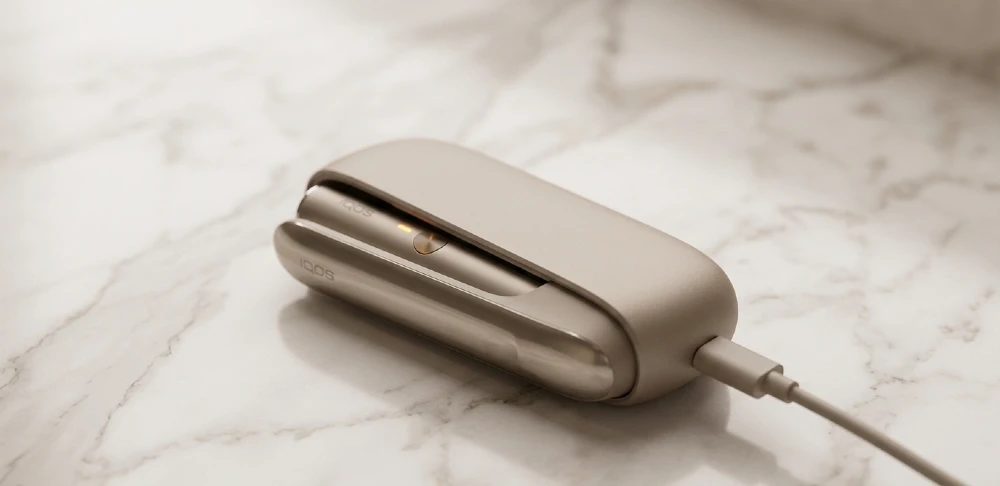
Your IQOS Iluma stopped charging. The light blinks, or worse — nothing happens at all. You press the button, you check the cable, you try a different socket. Still nothing. Before you pack it up and call IQOS support or drive to a service center somewhere in Dubai, there are four things you can check yourself in the next ten minutes that fix this problem most of the time.
This guide covers the four most common reasons your IQOS Iluma is not charging — and exactly what to do about each one. We have seen this happen with hundreds of customers who order Terea IQOS sticks and devices through TereaIlumaDXB.ae. The charging issue is almost always one of these four things. Let us go through them one by one.
Quick Verdict: What Is Most Likely Wrong
| Symptom | Most Likely Cause | Fix Time |
| No light at all | Cable or adapter fault | 2 minutes |
| Blinks red 3 times | Dirty charging contacts | 5 minutes |
| Charges slowly / stops | Temperature or firmware | 10 minutes |
| Charges 0% after 2 hrs | Dead battery / hardware | Warranty claim |
Fix 1: Check the Charging Cable and Adapter First
This sounds obvious. But seriously — nine out of ten times when a customer tells us their IQOS Iluma is not charging, the first thing that solves it is the cable. Not the device. The cable.
The IQOS Iluma uses a USB-C charging cable. These cables look fine from the outside but can have internal wire breaks, especially near the connector end. If you have been wrapping the cable tight or throwing it in a bag with keys and other things, the cable is probably the culprit.
What to Try
- Swap the USB-C cable with a different one — any USB-C cable from your phone, laptop bag, or drawer
- Try a different USB power adapter, not the same wall plug. Use at least a 5W adapter or higher
- Plug directly into a wall socket, not a power strip or extension cord. Some cheap extensions drop voltage
- Try a different wall socket entirely. The socket you are using might have a loose connection
If the device starts charging with a different cable — great, problem solved. Buy a new cable. Do not keep using a damaged one. It will charge your device slowly or inconsistently and over time can affect the battery.
Important: Never use a fast-charging adapter above 9V for the IQOS Iluma. The device is rated for 5V/2A standard charging. High-voltage fast chargers meant for phones can cause the charging circuit to shut down as a protection measure. That explains why it suddenly stopped charging even though it charged fine before.
One more thing: make sure the USB-C connector is fully inserted. The Iluma charging port is quite tight when it is new, and a partially inserted cable will not make a proper connection. Push it in firmly until you feel the click or slight resistance.
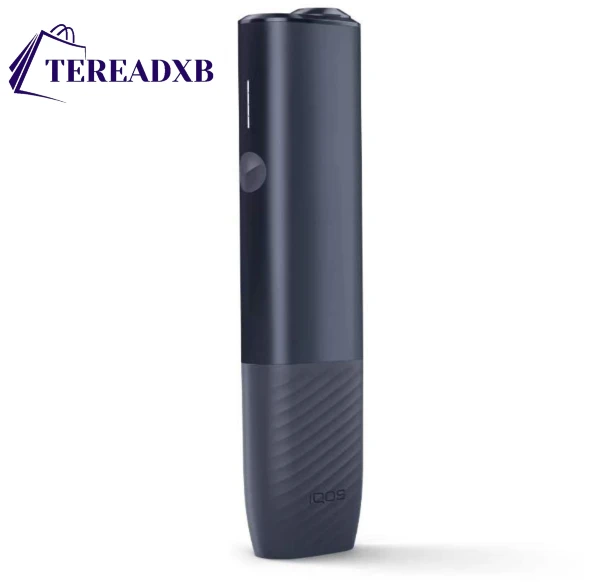
Buy ILUMA i ONE Midnight Black – No Heating Technology | TereaDXB
Upgrade to the ILUMA i ONE Midnight Black for bladeless, heat-not-burn technology. Enjoy smooth flavor, no maintenance, and a sleek design—perfect for the UAE lifestyle. Order now at TereaDXB.
Fix 2: Clean the Charging Contacts — This Fixes the Red Blink Error
If your IQOS Iluma blinks red when you try to charge it — or when you place a Terea IQOS stick inside — the problem is almost always dirty contacts. This is the number one support issue we hear about after the cable problem.
The charging contacts are the small metal pins inside the charging socket and inside the Iluma holder where the Terea stick sits. Dubai has high humidity, dust comes in through air conditioning, and over weeks of daily use these contacts get a thin layer of grime on them. Enough to break the connection.
How to Clean the Charging Port
- Turn off the device first. Hold the button for 3 seconds until the light goes off
- Take a dry cotton swab (Q-tip). Do NOT wet it with water or alcohol first
- Gently rotate the dry cotton swab inside the USB-C charging port in small circular motions — 5 to 6 rotations
- Use a new dry swab for the Terea holder inside the device — the same gentle circular motion
- Let it sit for 30 seconds before plugging in again
If there is stubborn residue or you can see dark buildup on the contacts, you can lightly dampen the swab with isopropyl alcohol (70% or higher). But make sure the swab is just barely damp — not wet. And wait a full two minutes after cleaning before you try to charge again. Any moisture left in the port will cause a short circuit error.
Do not use: toothpicks, metal objects, compressed air cans directly into the port, or any household cleaning spray. All of these damage the contacts or push debris further in.
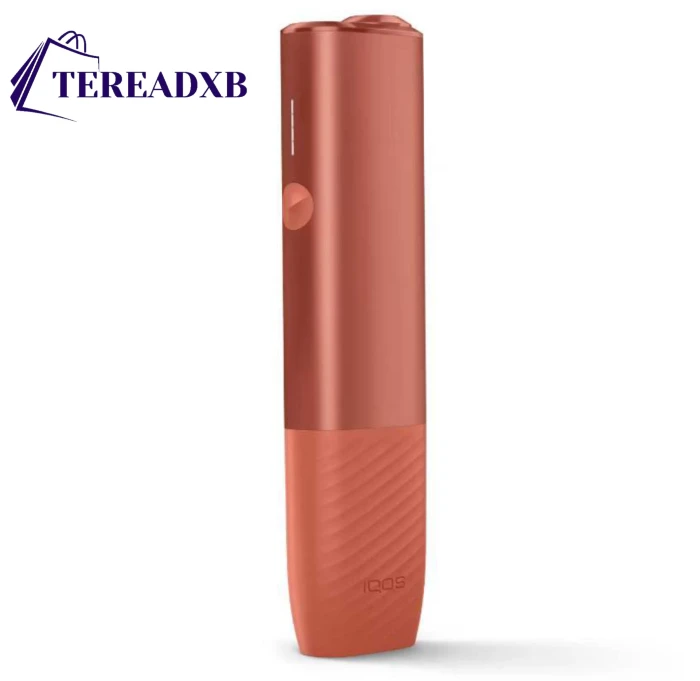
Buy ILUMA i ONE Vivid Terracotta – TereaDXB
Experience the ILUMA i ONE Vivid Terracotta for bladeless, heat-not-burn technology. Enjoy smooth, consistent flavor and a sleek, portable design—ideal for the UAE lifestyle. Order now at TereaDXB.
Clean the Terea Holder Too — Not Just the Charging Port
Here is something most guides miss. The Iluma has a blade-free design — it heats Terea IQOS sticks through induction. The holder where the stick sits also has electrical contacts at the bottom. If these are dirty or have tobacco dust in them, the device will show a charging error or a usage error even if the battery itself is fine.
Use the cleaning tool that came in the box — the small white stick. Push it gently to the bottom of the holder and rotate. Do this every 20 uses as part of normal maintenance. This alone prevents most error codes.
A customer from JLT once contacted us saying her Iluma was showing red blinks and not charging properly. She had never cleaned the holder in two months of use. After cleaning with the tool, both problems — the holder error and the charging hesitation — went away completely. The two issues were connected. A dirty holder can send error signals that interrupt the charging cycle.
Fix 3: Reset the IQOS Iluma Device
You have tried a different cable. You have cleaned the contacts. It is still not charging. The next step is a device reset. This clears any firmware errors or stuck states that prevent the charging circuit from activating.
The IQOS Iluma has a soft reset option that takes about thirty seconds and does not erase any settings. Think of it like restarting a phone when an app freezes. The battery data, the usage stats, none of that changes. It just restarts the internal software.
How to Reset IQOS Iluma (Soft Reset)
- Make sure the device is not plugged in
- Press and hold the button on the device for 10 full seconds
- The LED will flash quickly and then go dark — this confirms the reset
- Wait 5 seconds after the light goes off
- Plug in the charging cable
- The LED should glow white or amber, indicating charging has started
If the LED shows a solid red or blinking red after reset — that means there is a hardware problem, not a software one. We will cover that in Fix 4.

Buy Iluma I Prime Minera – Order Today In UAE
Looking for a healthier, cleaner alternative to traditional smoking? The Iluma I Prime Minera is the latest smokeless device featuring heat-not-burn technology for a smoother, safer experience. Order today and enjoy fast delivery across the UAE.
Out of stock
The Temperature Protection Reset — Specific to Dubai Heat
This one is very relevant in Dubai. The IQOS Iluma has built-in temperature protection that stops charging if the device gets too hot. This happens more than you think here, especially in summer.
If you left your device in the car, in direct sun on a table, or even near an air conditioning vent that sometimes blows warm air, the device may be in temperature lockout mode. The indicator will show orange or amber instead of white, and it will refuse to charge until it cools down.
- Move the device to a cool, shaded spot — ideally near an air conditioner
- Wait 15 minutes before trying to charge again
- Do not put it in the freezer or fridge — rapid temperature change causes condensation inside the device
- Room temperature is between 10°C and 40°C for safe charging
Most charging failures during summer in Dubai that seem random are actually this temperature protection activating. The device is working correctly — it is protecting the battery. Just let it cool down.
Firmware Glitch After a Usage Session
Sometimes the Iluma gets into a stuck state right after finishing a Terea IQOS session. You insert the used stick, the holder cools down, and when you plug in to charge — nothing. This is a known firmware behavior. The reset described above clears it every time.
Some users told us they thought their device was broken. After a reset, it charged normally. This firmware glitch happens more often on older Iluma units that have not had a firmware update in a while. If you have the IQOS app installed, connect via Bluetooth and check if there is a firmware update available. Updated firmware has fewer stuck-state bugs.
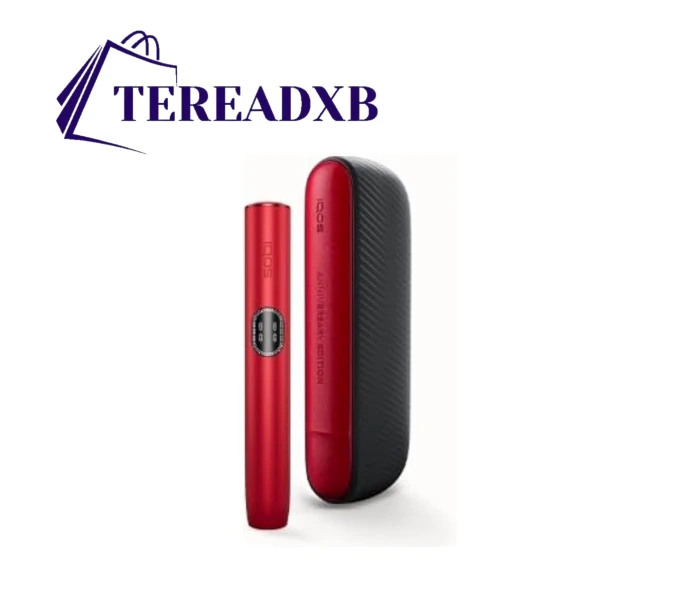
Buy Iluma I Standard Special Edition
The Buy Iluma I Standard Special Edition is the smartest heated tobacco device yet — featuring personalized settings, auto-start, and blade-free technology. Now in stock across the UAE.
Fix 4: Check Your Warranty and Know When to Replace
You tried a new cable. You cleaned the contacts. You reset the device. It is still not charging or it shows solid red. At this point the problem is hardware — either the battery is dead or there is a fault in the charging circuit. Both of these require either a warranty claim or a replacement device.
Before you go anywhere, let us figure out if you are covered.
IQOS Iluma Warranty in UAE — What You Need to Know
The standard IQOS Iluma warranty in the UAE is 12 months from the purchase date. The warranty covers manufacturing defects, charging failures, and battery issues that happen under normal use. It does not cover physical damage, water damage, or damage from using unofficial accessories.
- Find your purchase receipt or order confirmation — you need the date and proof of purchase
- Check the bottom of the device for the serial number — you will need this for the warranty claim
- Go to the IQOS website or call IQOS UAE customer care to register your claim
- If you bought from TereaIlumaDXB.ae, we can help confirm your purchase details — just WhatsApp us
If you are inside the 12-month window and the device was not physically damaged, the warranty claim is usually straightforward. IQOS will either repair the device or send a replacement.
Battery Life — When Is It Just Time to Replace?
The IQOS Iluma battery has a lifespan of approximately 2 years under normal daily use. If you have had the device for more than 18 months and it is now charging very slowly, dropping charge quickly, or not holding a full charge — that is normal battery degradation, not a fault.
Batteries are consumables. They have a cycle life. Trying to repair a degraded battery is usually not worth it. At that point, the cost of a repair is close to the cost of a new device.
| Device Age | Charging Problem | Best Action |
| Under 12 months | Not charging at all | Warranty claim |
| 12-18 months | Slow / inconsistent | Try reset + clean first |
| 18-24 months | Short battery life | Consider replacement |
| Over 24 months | Any charging issue | Time for new device |
IQOS Repair Cost in Dubai — Know Before You Go
If your warranty has expired and the device needs repair, IQOS service centers in Dubai charge in the range of 250 to 350 AED for charging-related repairs. This includes the cost of parts and labor. For a device you are already 2 years into, spending 300 AED on a repair that might last another 6 months is rarely the best financial decision.
Compare that to getting a new IQOS Iluma from TereaIlumaDXB.ae, where you get a fresh device with a new 12-month warranty, delivered to your door in Dubai — often the same day. Crunch the numbers. Sometimes a new device just makes more sense.
Understanding IQOS Iluma LED Codes When Charging
Before you panic about any blinking light, it helps to know what each LED pattern actually means. The IQOS Iluma communicates everything through its LED indicator — charging status, errors, temperature warnings, all of it.
| LED Pattern | What It Means | What To Do |
| Pulsing white | Charging normally | Nothing — all good |
| Solid white | Fully charged | Unplug when ready |
| Pulsing amber/orange | Temperature protection active | Let it cool down first |
| 3 red blinks | Contact error / dirty holder | Clean contacts, reset |
| Solid red | Hardware fault | Warranty or replacement |
| No light at all | No power reaching device | Check cable and socket |
The most important thing here: pulsing amber is not a fault. It just means the device is hot. This confuses a lot of people in Dubai because it happens often. You plug in to charge, the light goes amber instead of white, and you think something is broken. It is not. Wait 15 minutes and try again.
How to Prevent IQOS Iluma Charging Problems — Simple Habits That Save You Hassle
Once you fix the charging issue, the goal is to not be in this situation again. Most charging problems with the IQOS Iluma are caused by three things: neglected cleaning, bad cable habits, and heat exposure. All three are preventable.
Cleaning Schedule That Actually Works
You do not need to deep-clean the device every day. But a quick routine every few days keeps errors away.
- Every 20 uses: Clean the Terea holder with the included cleaning stick
- Once a week: Wipe the exterior contacts and the charging port with a dry cotton swab
- Once a month: More thorough clean with a lightly alcohol-dampened swab if you see buildup
- Never: Use water, dish soap, wet wipes, or any spray cleaner on or near the device
Cable and Charging Habits
- Use only the original cable that came with the device, or a quality branded USB-C replacement
- Do not leave the device plugged in for more than 3-4 hours after it reaches 100% — it is not good for the lithium battery long term
- Do not charge from a computer USB port — the amperage is too low and slow charging over time degrades the battery more than normal charging does
- Keep one dedicated cable for the IQOS Iluma instead of sharing cables with your phone and other devices — cable wear happens faster when cables are used for multiple devices
Storage and Heat in Dubai
- Never leave the IQOS Iluma in a car parked in the sun — interior car temperatures in Dubai reach 70-80 degrees Celsius, which permanently damages lithium batteries
- Store the device in a cool dry place when not in use — a drawer, a bag, anywhere out of direct sunlight
- If you take the device to the beach or outdoors in summer, keep it in a pouch or bag — even indirect sun exposure raises the device temperature quickly
- The ideal storage temperature is 15-25 degrees Celsius — basically any air-conditioned indoor space is fine
Does Using the Wrong Terea IQOS Sticks Cause Charging Problems?
Yes. This is something not many people talk about but it genuinely matters. Using the wrong type of sticks in your IQOS Iluma — specifically, using HEETS sticks instead of Terea IQOS sticks — can trigger error states in the device that look like charging problems.
HEETS are designed for older IQOS 3 and IQOS 3 Duo devices. They have a central tobacco rod with a hollow segment. When you insert a HEETS stick into an IQOS Iluma, the induction heating system does not work correctly because HEETS do not contain the metalite susceptor that Terea sticks have. The device can show error lights, refuse to heat, and sometimes the error persists into the next charging cycle — making it look like a charging fault.
The fix: always use genuine Terea IQOS sticks in the Iluma. Terea sticks are specifically designed for Iluma devices. Every flavour in the Terea range — from Terea Amber to Terea Blue and Terea Sienna — works seamlessly with all Iluma variants: Iluma Standard, Iluma Prime, and Iluma One.
Note: If you previously used HEETS by mistake and your device is now showing errors — do the cleaning routine described in Fix 2, then do the reset in Fix 3. This clears most stick-related error states.
Step-By-Step Summary: Try These in Order
If you are in a hurry and just want the fastest path to fixing your charging problem, follow this sequence:
- Step 1 — Try a different cable and a different wall socket. This alone fixes it most of the time.
- Step 2 — Clean the USB-C port and the Terea holder with a dry cotton swab.
- Step 3 — If it has been sitting in a warm place, move it somewhere cool and wait 15 minutes.
- Step 4 — Hold the device button for 10 seconds to reset. Then plug in.
- Step 5 — If still not charging after all four steps: check your warranty date and contact IQOS support or visit TereaIlumaDXB.ae for replacement options.
Do these in order. Most people find the problem is fixed by step 1 or 2 and never need to go further.
Frequently Asked Questions About IQOS Iluma Charging
Why does my IQOS Iluma blink red 3 times when I plug it in?
Three red blinks usually mean a contact error. This happens when the charging contacts inside the USB-C port or inside the Terea holder are dirty or slightly oxidised. Clean both areas with a dry cotton swab using the method described in Fix 2 above. After cleaning, reset the device and try charging again. If the three red blinks continue, it could indicate a more serious contact failure that requires warranty service.
My IQOS Iluma charges to 100% but drains very fast. Is this a charging problem?
Not exactly — this is a battery health issue rather than a charging circuit problem. If the battery drains unusually fast (for example, you used to get 20 uses per charge and now you get 8-10), the battery cells are degraded. This is natural after 18-24 months of daily use. A reset or contact cleaning will not fix this. At this stage, the device is nearing the end of its useful life and a replacement is the practical choice.
Can I use a wireless charger with IQOS Iluma?
No. The IQOS Iluma does not support wireless charging. It charges via USB-C only. Some accessories like phone cases and ring holders are designed to hold the device, but none of them enable wireless charging — that is not a feature of the Iluma series. Always use a wired USB-C cable.
The IQOS Iluma light goes white but then turns off after 2 minutes. Is it charged?
Not necessarily. If the device was at very low battery, it can show a white light briefly as it receives power, then dim down as the internal system manages the charging process. This is normal during the first few minutes of charging a deeply depleted battery. Leave it plugged in for at least 90 minutes before checking the charge level. If it shows white pulses on and off during that time, the charging is progressing normally.
Is it safe to charge the IQOS Iluma overnight?
The short answer: not ideal. The IQOS Iluma has overcharge protection so it will not physically damage itself overnight, but lithium batteries kept at 100% charge for extended periods degrade faster over time. If you want to maximise battery lifespan, try to unplug once it reaches full charge. If overnight charging is the only convenient option for your routine, it will not destroy the device — it will just shorten the overall battery lifespan by a few months compared to unplugging at 100%.
Why does my IQOS Iluma only charge when held at a certain angle?
This means there is a damaged or bent pin inside the USB-C charging port, or the port itself has shifted slightly from physical stress. A loose port that only connects at an angle is a hardware fault. Do not try to fix this by bending things or inserting tools — you will make it worse. Check your warranty date. If you are within 12 months and this happened without physical damage from dropping or water, it should be covered. If out of warranty, a service center can replace the charging port, though the cost may make a new device more appealing.
My IQOS Iluma stopped charging after I updated the firmware. What happened?
Firmware updates occasionally cause temporary glitches, especially if the update process was interrupted or the battery was too low when the update ran. Try the reset described in Fix 3 first. If that does not work, connect to the IQOS app via Bluetooth and check if a new firmware version is available — sometimes a subsequent update patch fixes the issue introduced by the previous one. If the app shows an error and the device still will not charge, contact IQOS support because firmware corruption is covered under warranty.
How long should it take to fully charge an IQOS Iluma?
A completely depleted IQOS Iluma charges to 100% in approximately 120 minutes (2 hours) using the standard cable and a 5V/2A adapter. If it is taking 3 hours or more, that is a sign of a degraded battery, a weak adapter, or a faulty cable. If it is taking less than 45 minutes but only reaching 50% charge, the battery cells are faulty and not holding charge properly.
When to Stop Troubleshooting and Just Contact Support
There is a point where home fixes stop being useful and you just need a professional assessment. Here is how to know when you have reached that point:
- The device shows solid red after a reset and cleaning — not blinking, just a steady red light with no charging activity
- The USB-C port feels loose or you can see visible damage inside it
- The device gets hot to the touch during charging — not warm, but genuinely hot — which means the charging circuit is faulty
- You hear any unusual sounds, like buzzing or crackling, when the device is plugged in
- The device was exposed to water or significant physical shock and then stopped charging
In all these cases, no amount of resetting or cleaning will help. Contact IQOS UAE customer care, visit a service center, or if you are looking at an out-of-warranty replacement, check TereaIlumaDXB.ae for the latest Dubai IQOS product options and same-day delivery.
Buy IQOS Iluma and Terea Sticks in Dubai — TereaIlumaDXB.ae
While you are sorting out your IQOS Iluma charging issue, let us talk about something practical. If you need a replacement device, a backup device, or you are just running low on Terea IQOS sticks — TereaIlumaDXB.ae delivers the full range across Dubai, fast.
We are not a mall kiosk. We are not a generic online store selling fifty different product categories. This is all we do: IQOS Iluma devices and Terea sticks for UAE customers. That focus means we know this product better than anyone, we stock everything that is available, and we deliver it to your door the same day.
Genuine Terea IQOS Sticks — Every Flavour, Always in Stock
Every Terea stick we ship is photographed before packing. The batch code is emailed to you. You can verify it directly with PMI. We rejected over 200 fake cartons last month alone — counterfeit Terea products are a real problem in Dubai, and the fake ones taste wrong, burn unevenly, and can cause the holder errors described earlier in this guide.
We stock the complete Terea range:
- Terea Amber — the bestseller. Rich tobacco, medium intensity. If you are coming from HEETS Amber, this is the closest match but cleaner finish
- Terea Sienna — warm, slightly earthy. Good for evening use. Think morning coffee pair, but for afternoons
- Terea Bronze — deeper, fuller tobacco notes. Strong. Not for beginners. Amber outsells Bronze 3:1 in Dubai, but Bronze has very loyal customers
- Terea Yellow — light intensity, mild tobacco. Best for first-time users or those switching from very light cigarettes
- Terea Blue — menthol. Clean, fresh, not overpowering. Most menthol users reorder every 18-20 days
- Terea Purple — berry-forward. Customers often expect it to be sweeter than it is — read the description carefully before ordering if you are sensitive to that
- Terea Turquoise — light menthol, milder than Blue. Good for those who want a hint of freshness without full menthol intensity
Average reorder time for Amber customers is 16 days. For Bronze it is 22 days. If you order in advance instead of waiting until the last pack, you never run out.
Delivery Across Dubai — Actually Fast
Order by 8 PM and we deliver the same evening to most areas. We have timed it. JLT to Marina: 38 minutes. Deira: 52 minutes. Downtown: 44 minutes. Business Bay: 40 minutes. The delivery time varies by traffic and time of day, but same-day is genuinely same-day, not next-day with a different label.
Cash on delivery is available. No card required. No account needed if you do not want one. Just order via WhatsApp with your area and what you want, and we handle the rest.
- Free delivery on orders over 200 AED
- Standard delivery fee on smaller orders
- Same-day delivery available for most Dubai areas when ordered before 8 PM
- Cash on delivery accepted — no prepayment needed
Compare that to mall kiosks charging 135 AED plus parking. We deliver at 130 AED to your door, free over 200 AED. The math is easy.
Devices: IQOS Iluma Standard, Prime, and One
If you are in the market for a new Dubai IQOS product — either as a replacement or your first device — we carry all three Iluma variants:
- IQOS Iluma Standard — the most popular. Full-size device, pocket charger included, 20 uses per charge
- IQOS Iluma Prime — premium build, leather finish, more refined feel. Same heating technology as Standard, different exterior
- IQOS Iluma One — all-in-one, no separate holder and charger. Simpler to use, easier to carry. One button operation
All three devices only work with Terea IQOS sticks. They are not compatible with HEETS, Fiit sticks, or any other tobacco stick brand. If anyone tells you otherwise, they are wrong.
Authenticity Check — We Go Further Than Anyone
Every carton we ship comes with a hologram seal intact. The batch code is included in your order confirmation so you can verify it yourself on the PMI website. We have a side-by-side real vs. fake comparison guide on the site — check it before you buy from anyone, including us. We stand behind our products enough to show you exactly what to look for.
The fake Terea market in Dubai has gotten sophisticated. The packaging looks nearly identical on the outside. The tells are in the hologram quality, the batch code format, and the smell of the product before use. We check all three before anything ships.
Returns and Wrong Orders — No Forms, Just WhatsApp
Wrong flavour? Unopened packs returned within 14 days. No online forms. No email chains. Just WhatsApp us and we arrange the return and send the right order. That is the entire process.
We have been doing this long enough to know that flavour mistakes happen, especially when customers are trying Terea IQOS for the first time and are not sure which variant matches their old HEETS preference. We do not make that your problem.
For First-Time Buyers — Which Terea Flavour to Start With
If you are new to Terea IQOS and not sure which flavour to start with, here is the shortcut:
- Coming from HEETS Amber → Start with Terea Amber
- Coming from HEETS Yellow → Start with Terea Yellow or Terea Sienna
- Coming from HEETS Turquoise or menthol cigarettes → Start with Terea Blue or Terea Turquoise
- Not sure at all → Terea Amber. It is the bestseller for a reason. 70% of customers who try multiple flavours end up sticking with Amber
You can also order a mixed pack to try different flavours before committing to a full carton. Just mention it when you order via WhatsApp.
IQOS Iluma Not Charging? We Can Help Sort That Too
If you tried all four fixes in this guide and you are still stuck, send us a WhatsApp with a short video of the LED behavior when you plug in. We have seen basically every Iluma charging error that exists and can often tell you within a few messages whether it is a fixable issue or a device that needs replacing. No obligation. We are happy to help even if you do not buy anything.
TereaIlumaDXB.ae — genuine Terea IQOS sticks and IQOS Iluma devices, delivered across Dubai the same day. That is all we do.
Final Word: Most IQOS Iluma Charging Issues Are Fixable at Home
IQOS Iluma not charging is a frustrating problem, but it is almost never the catastrophe it feels like in the moment. In most cases, one of the four fixes in this guide gets you back to normal within ten minutes.
Start with the cable. Check the contacts. Let it cool if needed. Reset it. Do these in order and you will solve the problem 80% of the time without calling anyone or going anywhere.
If you go through all four fixes and the device is still dead — that is when you look at the warranty or the replacement numbers. A device past its useful life is not worth expensive repairs. A fresh IQOS Iluma with a clean warranty and genuine Terea IQOS sticks delivered to your door in under an hour is often the smarter move.